


Network Infrastructure Consultation
Not sure which Cisco Core Switches fits your network requirements? Our certified engineers provide free consultation to help you choose the right catalyst model for your business needs.
Understanding Cisco Core Switches for Different Network Sizes
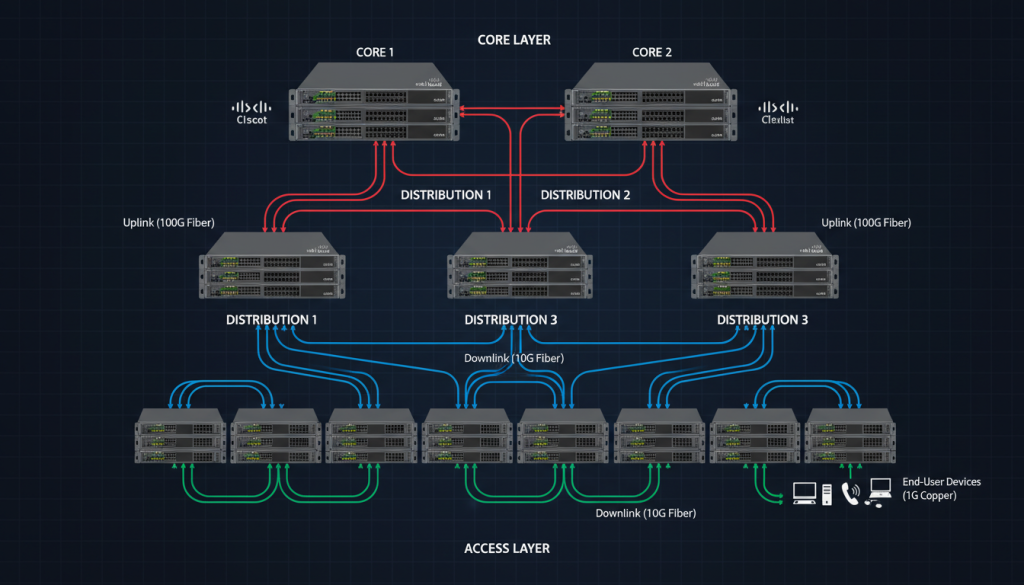
Cisco Core Switches form the backbone of your network architecture. They handle high-volume data traffic between distribution and access layers. Cisco offers multiple series to match various business requirements and network scales.
Small businesses benefit from catalyst 2960 series switches. These access layer devices provide essential connectivity with PoE capabilities. Mid-size companies often choose catalyst 3560 or catalyst 3850 models for enhanced performance.
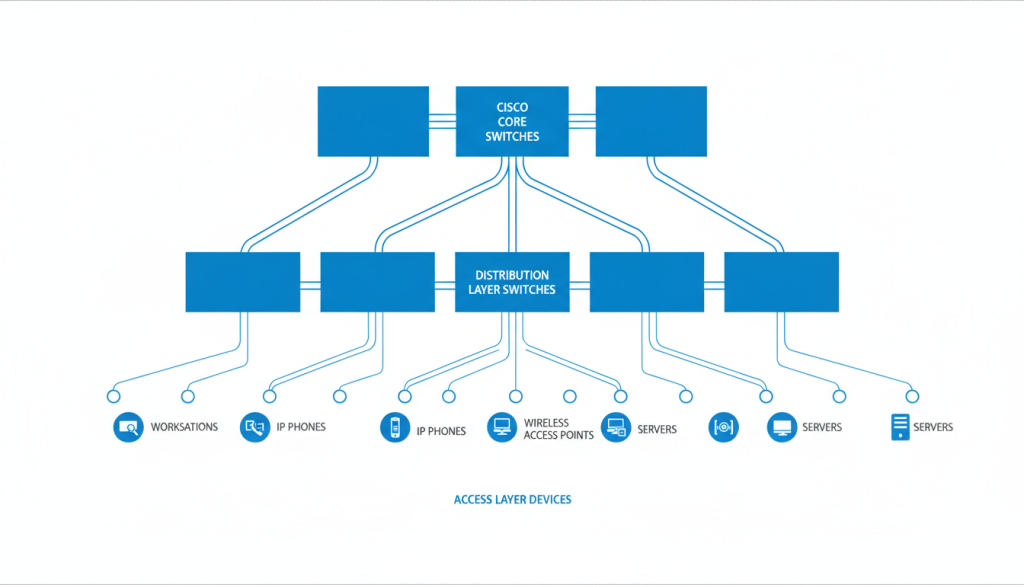
Enterprise networks require robust core distribution infrastructure. The catalyst 9300, catalyst 9400, catalyst 9500, and catalyst 9600 series deliver exceptional throughput. These switches support advanced features including cloud management and integrated security.
Small to Medium Networks
- Catalyst 2960 series for access layer deployment
- Power over Ethernet for IP phones and cameras
- LAN base feature set for essential functions
- Affordable price points for budget-conscious organizations
- Easy management through web interface
Enterprise Core Networks
- Catalyst 9000 series for high-performance core
- Multi-gigabit Ethernet ports for modern devices
- Advanced security with encrypted traffic analytics
- Cloud-based management through Catalyst Center
- Modular designs with hot-swappable power supply units
Cisco Catalyst 9600 Series: Core Switch Powerhouse
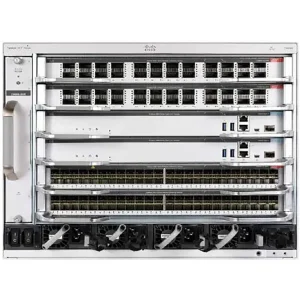
The catalyst 9600 series represents Cisco’s flagship modular switch platform. This core switch handles demanding data center and campus core requirements. It delivers up to 25.6 Tbps of switching capacity with future-proof architecture.
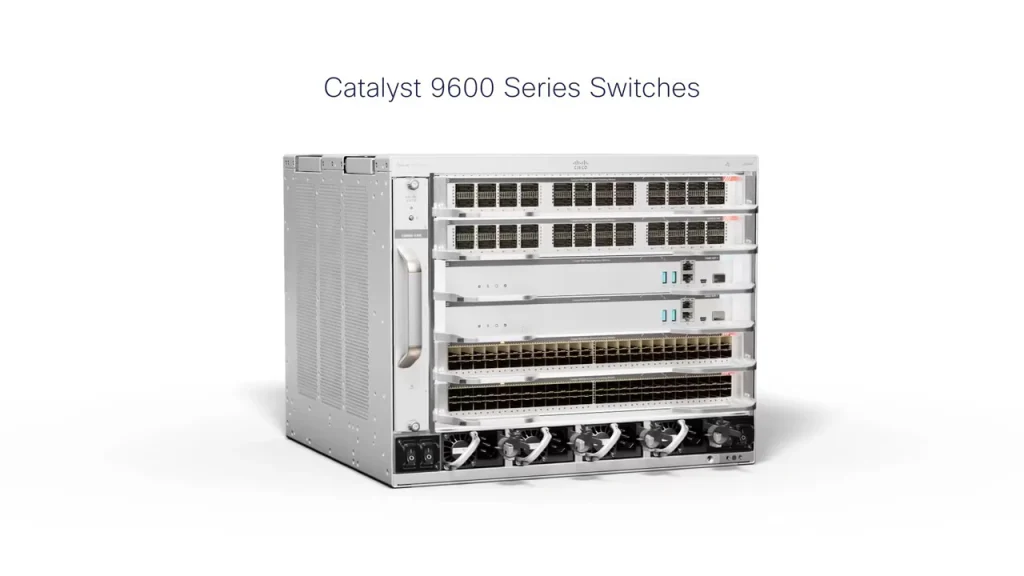
Key Features of Catalyst 9600
The C9610 and other catalyst 9600 models support diverse network topologies. They include redundant power supply options for maximum uptime. Hot-swappable modules allow maintenance without network disruption.
- Modular architecture with flexible slot configurations
- Support for 1G, 10G, 25G, 40G, and 100G Ethernet ports
- Programmable ASIC for future feature additions
- Integrated stacking with up to 480 Gbps bandwidth
- Advanced QoS for voice, video, and data prioritization
- MACsec encryption for secure communications
- EPA 2.0 energy efficiency compliance

Deployment Scenarios for Catalyst 9600
Large enterprises deploy catalyst 9600 switches in campus core networks. Financial institutions use these switches for low-latency trading platforms. Service providers implement them for aggregation points.
Data center environments benefit from the high port density. The modular design accommodates growth without replacing the chassis. Network administrators appreciate the unified management interface.
Request Quote for Catalyst 9600
Cisco Catalyst 9500 Series: High-Performance Fixed Core
The catalyst 9500 series offers fixed-configuration switches for core and distribution layers. These switches balance performance with simplified management. They deliver up to 8 Tbps switching capacity in compact form factors.

Catalyst 9500 Technical Specifications
Network teams choose catalyst 9500 for predictable performance. Fixed configurations eliminate compatibility concerns with modules. These switches support StackWise Virtual for creating logical chassis from multiple units.
| Model | Ports | Switching Capacity | Power Supply | Use Case |
| Catalyst 9500-24Q | 24x 40G QSFP+ | 3.2 Tbps | Dual redundant | Campus core aggregation |
| Catalyst 9500-32C | 32x 100G QSFP28 | 8 Tbps | Dual redundant | Data center core |
| Catalyst 9500-40X | 40x 10G SFP+ | 1.6 Tbps | Dual redundant | Distribution layer |
| Catalyst 9500-48Y4C | 48x 10/25G + 4x 100G | 3.2 Tbps | Dual redundant | High-density access aggregation |
Security and Management Features
Catalyst 9500 switches include Cisco TrustSec for network segmentation. They support Software-Defined Access for simplified policy management. Encrypted Traffic Analytics identifies threats without decryption.
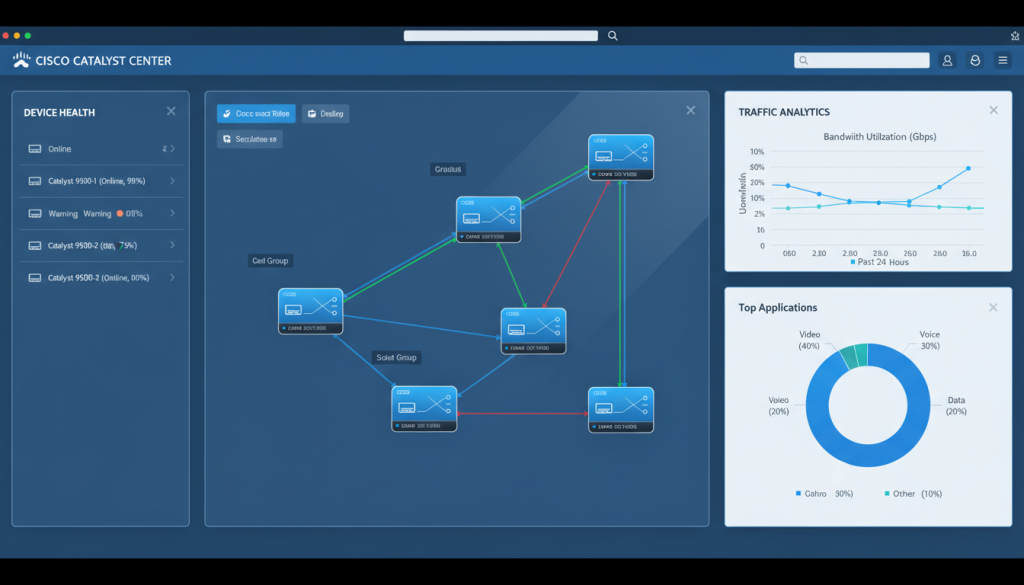
The switches integrate with Cisco DNA Center platform for automation. Network administrators can deploy configurations across multiple devices simultaneously. The intuitive interface reduces training time for new staff.
Cisco Catalyst 9400 Series: Modular Distribution Switch
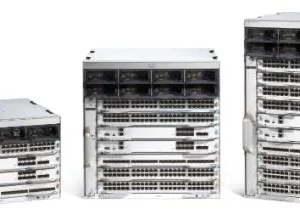
The catalyst 9400 series bridges core and access layers with modular flexibility. These Network switches family supports diverse network designs through interchangeable modules. Organizations benefit from investment protection as needs evolve.
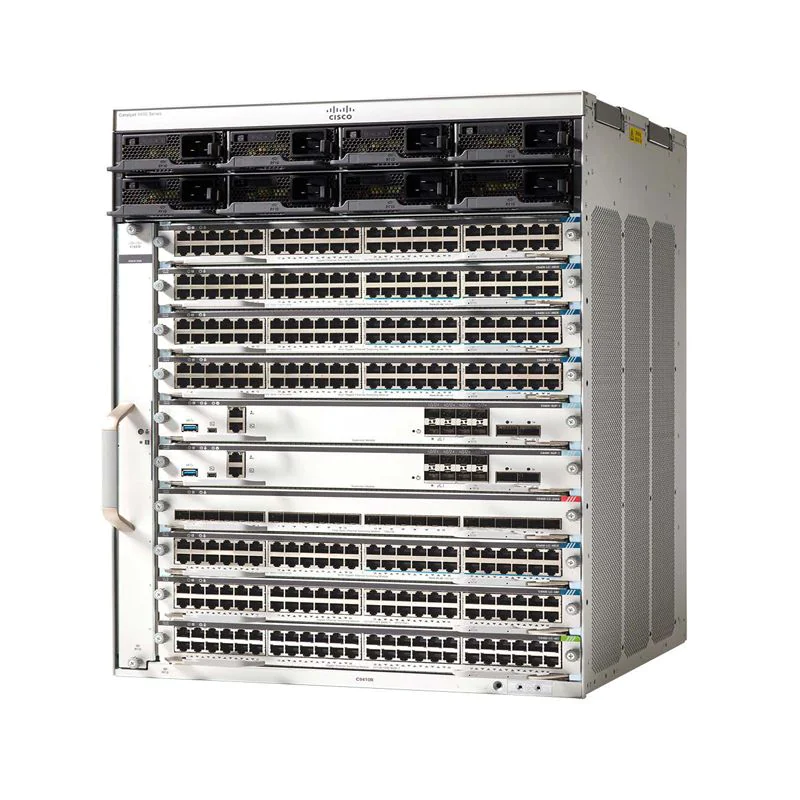
Modular Architecture Advantages
Network planners appreciate the catalyst 9400 scalability. Start with basic configurations and add modules as traffic grows. The chassis accommodates various line cards including 1G, 10G, and 40G options.
- Chassis options supporting 4, 7, or 10 slots
- Mix different speed modules in single chassis
- Field-replaceable supervisor engines for upgrades
- Redundant power supply with N+1 configuration
- Front-to-back or back-to-front airflow options
- Uplink modules with 40G and 100G ports
Explore Cisco Core Switches
ـــــــــــــــــــــــــــــــــــــــــــــــــــــــــــــــــــــــــــــــــــــــــــــــــــــــــــــــــــــــــــ
Showing 1–10 of 20 results
-
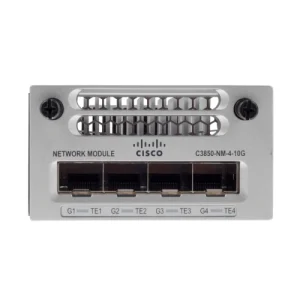
C3850-NM-4-10G Cisco Switch
-

C3850-NM-8-10G Cisco Switch
-

Catalyst 9300 8X 10GE Network module
-

Cisco 2960X Stacking Module C2960X-stack
-
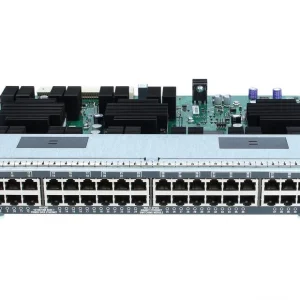
Cisco 4500 Line Card UPOE WS-X4748-UPOE+E
-
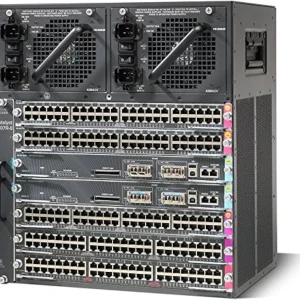
Cisco Catalyst 4500 WS-C4507R-E Switch
-

Cisco Catalyst 4500E Series 12-Port 10GB WS-X4712-SFP+E
-
Cisco Catalyst 9400 Modular Switch Series: Complete Guide for Egyptian Enterprises
-
Cisco Catalyst 9600 Modular Switch Series: Complete Technical Guide & Egypt Pricing
-

Cisco Catalyst WS-C4510RE-S7 Switch

Power Over Ethernet Plus Capabilities
Many catalyst 9400 modules support PoE and PoE+ standards. Power budget reaches up to 1440W per module. This capability supports wireless access points, IP cameras, and VoIP phones without separate power infrastructure.
Advanced power management optimizes energy consumption. The switches can detect connected device requirements and allocate power accordingly. This feature reduces operational costs in large deployments.
Distribution Layer Benefits
- Aggregates multiple access layer switches
- Provides policy enforcement boundary
- Offers redundant uplinks to core layer
- Supports inter-VLAN routing efficiently
Investment Protection
- Add modules as budget allows
- Upgrade supervisor without chassis replacement
- Future-proof with programmable ASICs
- Long product lifecycle support
Cisco Meraki MS400 Series: Cloud-Managed Core Switches
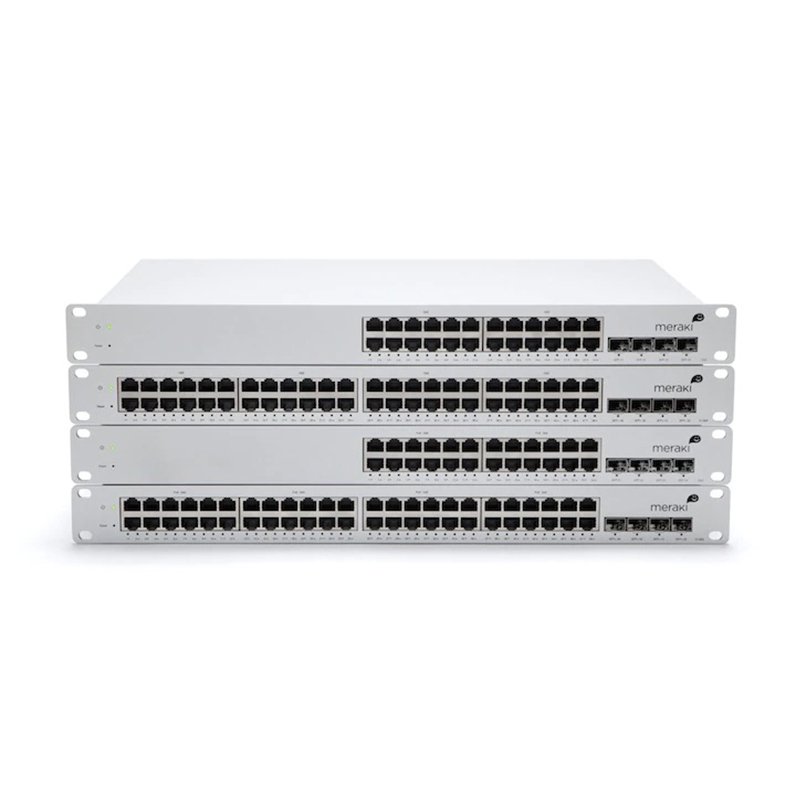
The Cisco Meraki MS400 series brings cloud management to enterprise switching. These aggregation switches combine performance with simplified administration. Network teams manage devices from anywhere through the Meraki dashboard.
Cloud Management Benefits
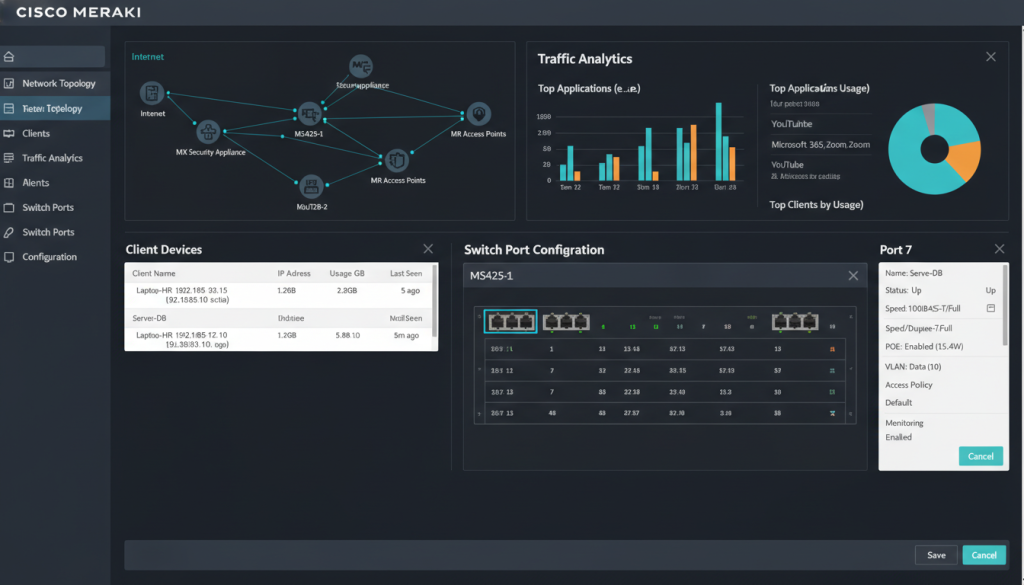
Traditional Cisco Network Devices require command-line configuration. Meraki MS400 series uses intuitive web-based management. Changes deploy instantly across all connected switches in your network.
The cloud architecture enables remote troubleshooting. View port status, traffic patterns, and device health from mobile devices. This accessibility reduces on-site visits for routine maintenance.
MS400 Series Models and Specifications
The product line includes various port configurations. MS425 models offer 32 SFP+ ports for fiber connectivity. MS450 switches provide 48 access ports plus 4 SFP+ uplinks.
- Zero-touch provisioning for rapid deployment
- Automatic firmware updates with scheduled windows
- Built-in network analytics and reporting
- Layer 3 routing with dynamic protocols
- 802.1X authentication for security
- Virtual stacking across geographic locations
- Lifetime warranty with advance replacement
Cloud Licensing Model: Meraki switches require active licenses for operation. License terms range from 1 to 10 years. Consider total cost of ownership when comparing with traditional cisco switches that have perpetual licensing.
Request Meraki MS400 Quote
Upgrading to Cisco Catalyst 9000 Switches
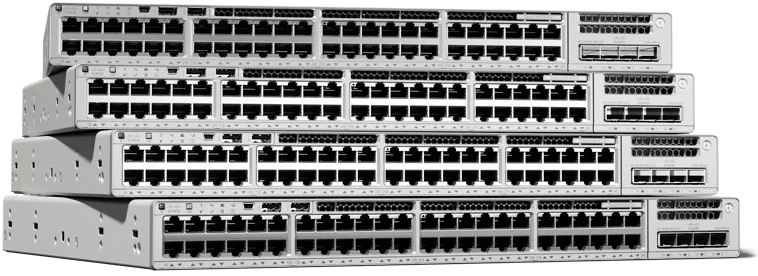
Organizations with aging catalyst 6800, catalyst 3560, or catalyst 2960-x switches face migration decisions. The catalyst 9000 series provides clear upgrade paths. Planning ensures minimal disruption during transition.
Benefits of Catalyst 9000 Migration
Modern networks demand higher bandwidth and advanced security. Catalyst 9000 switches deliver multi-gigabit Ethernet for WiFi 6 access points. They support full-stack programmability for automation initiatives.
Legacy switches lack visibility into encrypted traffic. Catalyst 9000 series includes Encrypted Traffic Analytics as standard feature. This capability detects malware without performance impact.
Upgrade Advantages
- 10x performance improvement over legacy models
- Reduced power consumption per port
- Simplified management through automation
- Enhanced security with hardware-based encryption
- Support for emerging technologies
- Longer product lifecycle and support
Migration Considerations
- Initial capital investment required
- Staff training on new management paradigm
- Configuration migration effort
- Potential compatibility checks with existing systems
- Phased rollout planning needed
Migration Strategies and Planning
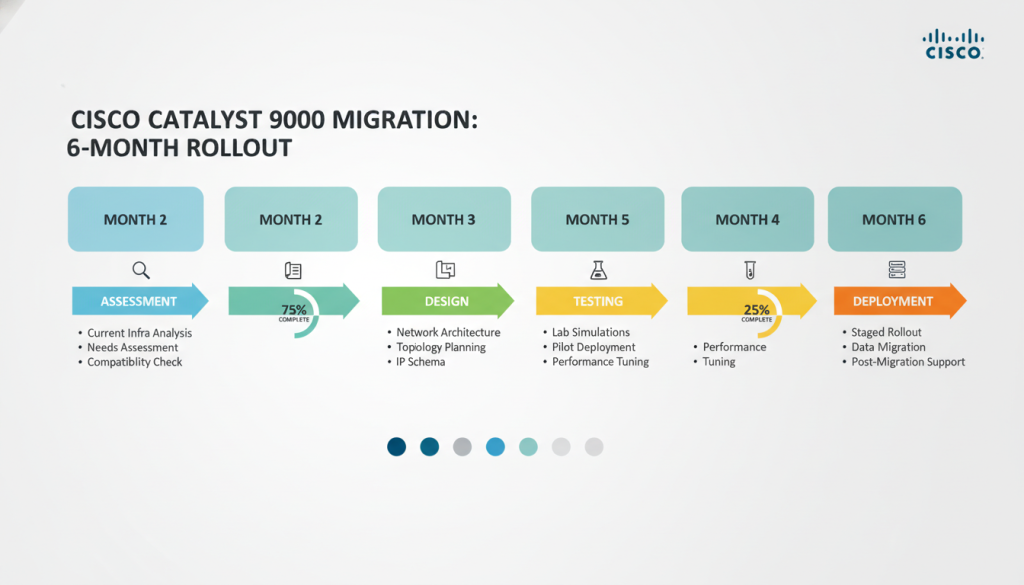
Successful upgrades follow structured approaches. Begin with comprehensive network assessment. Document existing configurations and traffic patterns. Identify critical systems requiring special attention.
- Assessment Phase: Audit current network topology and catalog all switches by model, location, and function. Document VLANs, routing protocols, and special configurations.
- Design Phase: Map legacy switches to appropriate catalyst 9000 models. Plan IP addressing, VLAN structure, and uplink configurations. Consider stacking or virtual chassis designs.
- Lab Testing: Build pilot environment with representative catalyst 9000 switches. Test configurations, verify application compatibility, and measure performance improvements.
- Phased Deployment: Start with non-critical areas to gain experience. Progress to distribution layer, then core infrastructure. Maintain fallback plans at each stage.
- Validation: Monitor network performance after each phase. Verify security policies, QoS settings, and routing behavior. Address issues before proceeding.
- Optimization: Enable advanced features gradually. Implement automation tools, enhance security postures, and fine-tune performance parameters.
Expert Migration Support Available
Upgrading network infrastructure requires careful planning and execution. Our certified team provides end-to-end migration services from assessment through deployment. Minimize risks and downtime with professional guidance.
Cisco Catalyst Center Platform Overview
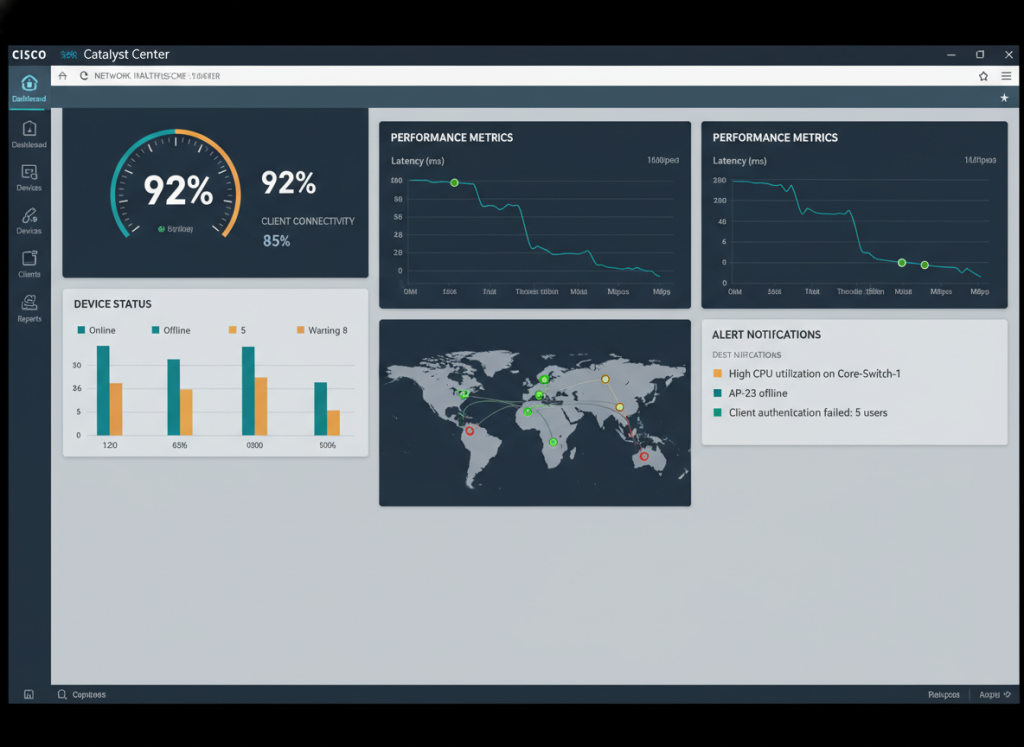
The Cisco Catalyst Center platform transforms network management. Previously known as DNA Center, this software provides centralized control for catalyst switches. IT teams gain visibility across entire network infrastructure.

Key Platform Capabilities
Catalyst Center automates repetitive configuration tasks. Deploy VLANs, security policies, and QoS settings from templates. The system ensures consistency across hundreds of switches in your network.
The platform includes comprehensive analytics engine. Track bandwidth utilization, identify bottlenecks, and plan capacity expansions. Historical data helps troubleshoot intermittent issues effectively.
- Graphical network topology with real-time status
- Configuration templates for rapid deployment
- Software image management and updates
- Network segmentation through Software-Defined Access
- AI-powered troubleshooting recommendations
- Compliance reporting and audit trails
- REST API for integration with other systems
Software-Defined Access Implementation
Traditional networks use VLANs and ACLs for segmentation. Catalyst Center implements Software-Defined Access for policy-based control. Define user groups and application policies centrally. The system translates policies into appropriate switch configurations automatically.
This approach simplifies network security. Users maintain consistent access regardless of connection point. Devices authenticate once and receive appropriate network privileges everywhere.
Traditional Management Challenges
- Manual CLI configuration per device
- Complex VLAN spanning across sites
- Time-consuming troubleshooting
- Inconsistent policy application
- Limited network visibility
Catalyst Center Advantages
- Centralized policy management
- Automated configuration deployment
- Rapid issue identification
- Consistent security enforcement
- Comprehensive analytics dashboard
Deployment Models and Licensing
Catalyst Center operates as appliance or virtual machine. Physical appliances suit large enterprises with thousands of devices. Virtual deployments offer flexibility for smaller networks or cloud environments.
Licensing tiers provide different feature sets. Essentials license includes basic management functions. Advantage license adds automation and analytics. Premier license unlocks all capabilities including AI-driven insights.
Cisco Certified Remanufactured Equipment
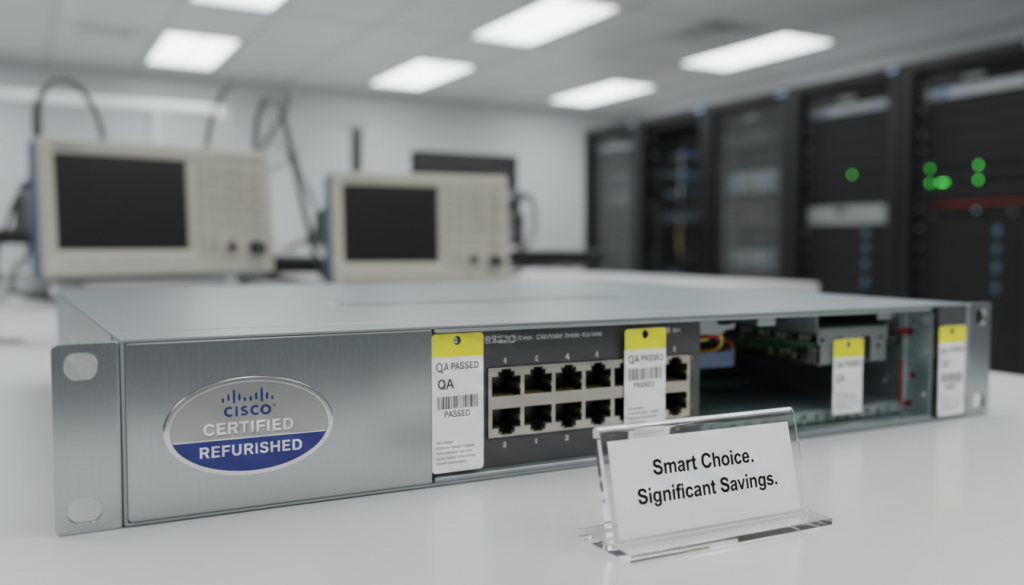
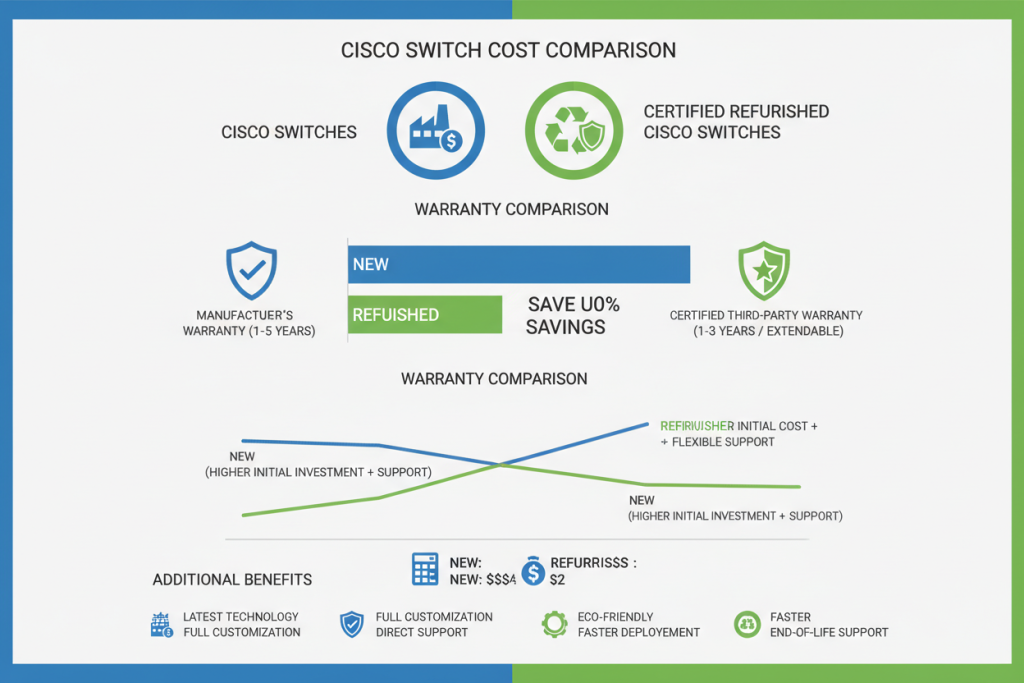
Budget constraints affect many network upgrade projects. Cisco Certified Refurbished equipment offers reliable alternative to new purchases. These products undergo rigorous testing and certification processes.
Remanufactured Process and Quality Standards
Cisco authorized partners handle refurbishment under strict guidelines. Each switch receives complete inspection and testing. Components showing wear get replaced with genuine Cisco parts.
The process includes firmware updates to latest stable versions. Switches undergo burn-in testing to identify potential failures. Only devices meeting original specifications receive certification.
Quality Assurance: Cisco Certified Refurbished equipment performs identically to new products. Factory testing procedures verify all functions. Many refurbished switches come from customer returns with minimal use or end-of-lease equipment in excellent condition.
When to Consider Refurbished Switches
Budget-conscious organizations benefit from significant savings. Refurbished catalyst switches typically cost 30-50% less than new equipment. Schools, healthcare facilities, and non-profits maximize limited IT budgets this way.
Lab environments and test networks represent ideal use cases. Development teams need identical hardware without production requirements. Refurbished switches provide cost-effective options for these scenarios.
Best Use Cases
- Budget-constrained projects
- Lab and testing environments
- Expanding existing older deployments
- Education and training facilities
- Temporary network installations
- Disaster recovery spare inventory
Consider New Equipment For
- Mission-critical production networks
- Long-term deployments (10+ years)
- Environments requiring latest features
- Projects with strict warranty requirements
- Data center core infrastructure
- Compliance-regulated industries
Warranty and Support Options
Certified refurbished cisco switches include warranty coverage. Standard warranties typically span 90 days to one year. Extended support contracts are available through authorized partners.
Technical support remains available through standard channels. Cisco TAC assists with refurbished equipment issues. Software updates and security patches apply equally to refurbished and new devices.
Selecting the Right Cisco Core Switches for Your Network
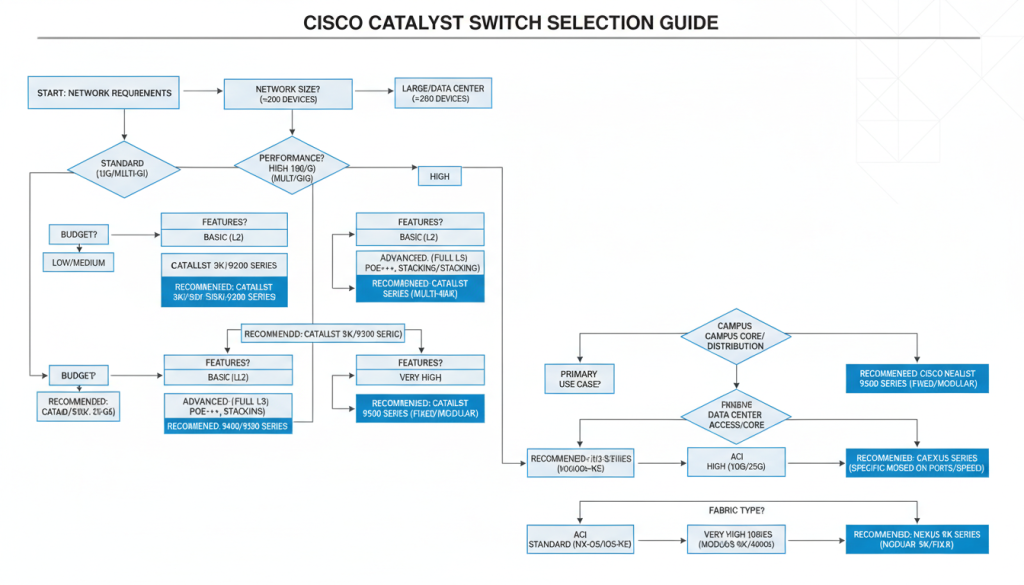
Network requirements vary significantly across organizations. Small businesses need reliable access connectivity. Large enterprises demand high-capacity core switches with advanced features. Understanding your specific needs guides proper selection.
Assessment Criteria
Begin by analyzing current and projected port counts. Factor in growth expectations for next three to five years. Consider required speeds for users and server connections.
Evaluate power requirements for connected devices. Wireless access points and IP phones need PoE or PoE+ capabilities. Calculate total power budget across all switches.
Network Layer Recommendations
Access layer switches connect end-user devices. Catalyst 2960 and catalyst 2960-x series provide cost-effective access. For high-density environments, catalyst 9300 delivers superior performance with multi-gig ports.
Distribution layer aggregates multiple access switches. Catalyst 9400 modular switches offer flexibility for this role. Alternatively, catalyst 9500 fixed switches simplify management in smaller deployments.
Cisco Core Switches layer demands maximum throughput and reliability. Catalyst 9500 high-end models suit most enterprise cores. Very large networks benefit from catalyst 9600 series capabilities. Data center switches require specialized models like Cisco Nexus series.

Deployment Best Practices for Cisco Core Switches
Proper installation ensures optimal switch performance. Follow structured cabling standards for physical connections. Maintain adequate airflow around devices to prevent overheating.
Physical Installation Guidelines
Mount switches securely in standard 19-inch racks. Leave space between devices for cooling. Verify power supply compatibility with local electrical standards in Egypt.
- Use proper rack mounting hardware included with switches
- Implement cable management to maintain organization
- Label all connections for future troubleshooting
- Install redundant power supplies where available
- Plan SFP module placement before installation
- Document port assignments in network diagrams

Initial Configuration Steps
Access switches through console port for initial setup. Configure management IP address and default gateway. Set hostname and enable passwords immediately.
Apply security hardening guidelines from Cisco documentation. Disable unused services and ports. Configure SSH for remote access instead of Telnet.
Security First: Never deploy switches with default credentials. Change all passwords immediately after installation. Implement port security and DHCP snooping to protect against common attacks. Regular security audits identify configuration vulnerabilities.
Frequently Asked Questions
What is the difference between access, distribution, and core switches?
Access switches connect end-user devices like computers and phones. They typically have many lower-speed ports with PoE capabilities. Distribution switches aggregate traffic from multiple access switches and enforce policies. Cisco Core Switches form the network backbone, handling high-volume traffic between distribution layers and connecting to external networks. Each layer serves specific functions in hierarchical network design.
Can I mix different Cisco switch models in the same network?
Yes, different cisco switch models work together in the same network. Use catalyst 9600 or catalyst 9500 for Cisco Core Switches , catalyst 9400 for distribution, and catalyst 9300 or catalyst 2960 for access. Ensure compatible software versions and proper configuration. Mixing generations may limit some advanced features, but basic connectivity functions across all catalyst series switches.
Catalyst 9000 switches maintain backward compatibility with standard protocols. They connect successfully with older catalyst 3560, catalyst 6800, or even catalyst 2960-x switches. Standard Ethernet, spanning tree, and routing protocols function across generations. However, advanced features like StackWise and specific security capabilities require compatible hardware.
Cisco catalyst switches typically provide 7-10 years of reliable service. Support lifecycles vary by model. Cisco publishes end-of-sale and end-of-support dates for each product. Plan replacements based on support timelines and capacity requirements. Well-maintained switches in controlled environments often exceed expected lifespan. Regular firmware updates and proper cooling extend operational life.
Device count depends on switch model and network design. A catalyst 9600 with appropriate modules supports thousands of devices through connected access switches. Direct port count ranges from 24 to 384 ports depending on configuration. Consider bandwidth requirements, not just port count. A 48-port switch may handle 48 users comfortably but struggle with 48 servers generating heavy traffic.
What training is required to manage Cisco Catalyst switches?
Basic switch management requires understanding of networking fundamentals. Cisco offers CCNA certification covering essential switch configuration. Advanced features benefit from CCNP Enterprise certification. Catalyst Center platform simplifies management through graphical interface, reducing CLI expertise requirements. Many organizations succeed with combination of certified staff and vendor support contracts.
Ready to Upgrade Your Network Infrastructure?
Selecting the right Cisco catalyst switches impacts your organization’s productivity and security. Whether you need catalyst 9600 for core performance, catalyst 9400 for flexible distribution, or cisco switch options for access layers, professional guidance ensures optimal choices.
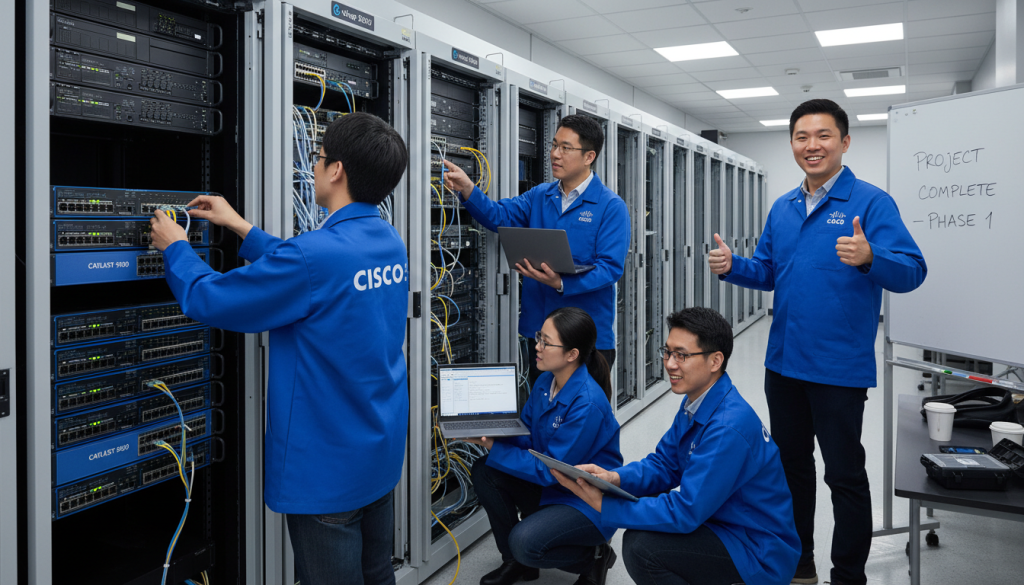
Our certified engineers help businesses across Egypt implement robust network solutions. From initial assessment through deployment and ongoing support, we provide comprehensive services. Contact us today to discuss your specific requirements.
Get Your Custom Network Solution
Every network has unique requirements. Our team provides personalized recommendations based on your business needs, budget, and growth plans. Receive detailed proposals with pricing for new and cisco certified refurbished equipment options.